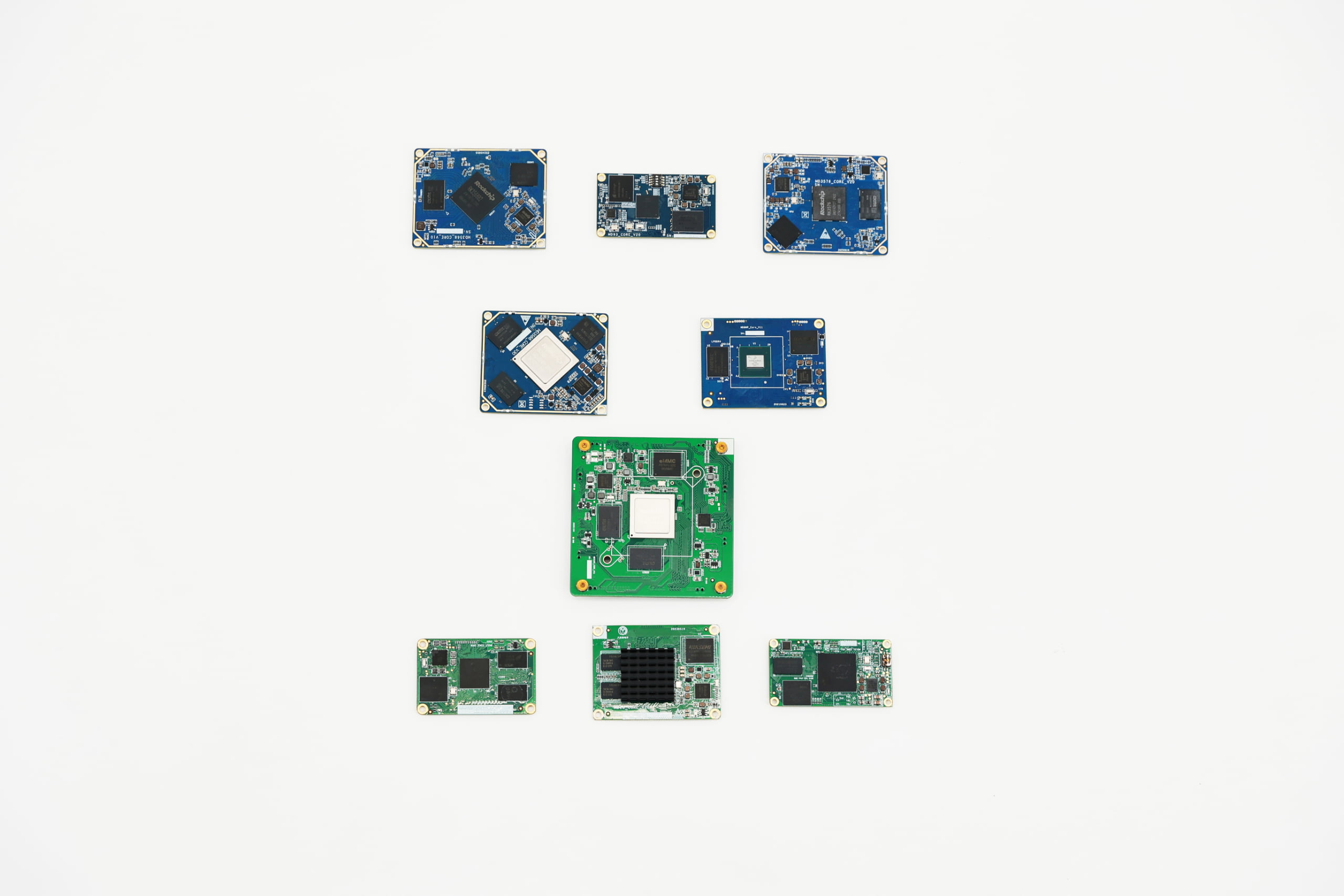
Choosing the right arm system on module affects how your project works. You must pick a som that fits your project’s power, connection, and environment needs. Today, arm system on module solutions are used in many things. They are in smart devices and cars. They help you finish your project faster and give you more choices. Many system on module makers focus on safe and connected som solutions. These solutions help your project last a long time. You can use LMTEK’s som options to make building easier. This keeps your project ready to grow.
Key Takeaways
-
Know what your project needs for speed, connections, power, and where it will be used before you pick a SoM.
-
Make sure the SoC, memory, and storage fit your project. This helps save power and makes things faster.
-
Check if the SoM has all the connections you need. See if you can add more with interface modules if you have to.
-
Pick a module that uses the right amount of power, is the right size, and can work in hard places like hot or dusty spots.
-
Choose a vendor you can trust. Make sure they have good guides, will help for a long time, and give you technical help when you need it.
Project Requirements
You should know what your project needs before picking an ARM system on module. Each project is unique. Some need to be faster. Others need more ways to connect. Some must work in hard places. Let’s look at the main things to think about.
Performance Needs
First, think about how much power your project needs. If you only need a simple display or basic automation, you do not need a strong module. LMTEK’s PX30 Core Board is good for simple jobs. If your project needs to handle lots of data or use edge AI, you need a stronger module. The RK3588 or NXP i.MX8MP are good choices for this. These modules can do many things at once and handle hard tasks.
ARM processors often save more energy and money than other chips. In tests, ARM chips can be 15-20% faster for some jobs and use less power. This is good for edge and industrial projects where saving energy and money is important.
Tip: Check if your project needs extra things like speech recognition or deep learning. Some SoMs have NPUs built in for AI jobs.
Connectivity
Your project may need to connect to many devices or networks. Think about what connections you need. Do you need USB, Ethernet, Wi-Fi, or cellular? LMTEK’s SoMs have many options. They offer basic USB and GPIO or advanced network connections. Some modules, like the NXP i.MX93, can do edge connectivity and AI together.
Here is a table with common connection features:
| Module | Interfaces | Special Features |
|---|---|---|
| PX30 | USB, UART, GPIO | Basic automation |
| RK3568 | Gigabit Ethernet, PCIe | Edge computing |
| i.MX8MP | USB 3.0, HDMI, CAN | Industrial applications |
You might also need interface modules, isolated CAN transceivers, or rf module transmitter and receiver. Always make sure the som module has the connections you need.
Power and Environment
Some projects run in factories, outside, or other tough places. You need a system on module that works in hard conditions. LMTEK’s SoMs work from -40℃ to 85℃, so they fit many industrial jobs. Power supply is important too. Most modules need between 3.0V and 5.5V, but always check what your project needs.
If your project uses solar power or works in hot places, remember high heat can make it less efficient. Dust and weather can also hurt how it works. For edge projects, you want a module that saves power and stays strong.
-
Check if you need a built-in power module or power distribution modules.
-
For high voltage generator module or deepsea controller projects, make sure your som system on module can handle the power.
-
If you use a linux som, make sure it works well for your project.
Note: Always read the technical papers and test your project in real life. This helps you avoid problems later.
ARM System on Module Basics

What is a System-on-Module
You may wonder why an arm system on module is important. A system-on-module, or SoM, is a small board with the main computer parts. It has a processor, memory, storage, and power management. You can think of it as the “brain” of your device. The SoM connects to a carrier board. The carrier board gives you more ports like USB, Ethernet, or HDMI.
Here are things you usually find on a system-on-module:
-
Processor (CPU, sometimes with GPU or NPU for jobs like speech recognition)
-
RAM (memory that helps run programs)
-
Storage (like eMMC or SD card)
-
Power management (sometimes a built-in power module)
-
Interfaces (such as USB, Ethernet, GPIO, UART, SPI)
-
Sometimes extra chips, like a multi chip module or rf module transmitter and receiver
The carrier board helps the SoM talk to other devices. It can add things like an isolated CAN transceiver or power distribution modules. It can even add a high voltage generator module. This setup lets you change the SoM if you want to upgrade or add new features. Many system on module makers, like LMTEK, build their SoMs for tough jobs. They work in deepsea controller systems and smart home devices.
Note: ARM system on modules have changed a lot over the years. The Cortex-M series took the place of older chips. This made SoMs faster and more flexible. ARM lets companies change their chips. This way, you get the right speed, power, and features for your project.
SoM vs SBC vs COM
You might see names like single board computer or computer-on-module. These are not the same as a SoM. Here is a table to show the differences:
| Aspect | System-on-Module (SoM) | Single Board Computer (SBC) | Computer-on-Module (COM) |
|---|---|---|---|
| What it is | Modular “brain” board | All-in-one board | Like SoM, but often for x86 CPUs |
| Flexibility | High, easy to swap or upgrade | Low, fixed design | High, similar to SoM |
| Use case | Custom products, scalable | Prototyping, learning, hobby | Industrial, scalable |
| Upgrade path | Swap SoM on carrier board | Replace whole board | Swap COM on baseboard |
| Example | LMTEK SoM, linux som | Raspberry Pi, esp 32 wroom 32 | x86 COM Express modules |
A single board computer, like a Raspberry Pi or esp 32 wroom 32, has everything on one board. You use it for quick projects or learning. A computer-on-module is a lot like a SoM, but it often uses x86 chips. Both SoM and COM let you make different products by swapping modules on the same carrier board.
If you want to spend more time on software or user experience, a som module or som system on module helps you skip hard hardware work. You just pick the module system that fits your needs.
Key Selection Criteria for System on Module
When you choose a som for your project, you need to look at several important things. Each part affects how well your application works. Let’s break down what you should check before you decide.
SoC and Performance
The SoC, or System on Chip, is the heart of your som. It controls how fast your application runs and what it can do. If you want to build a high-performance device, pick a som with a strong SoC. For example, the RK3588 from LMTEK gives you lots of power for edge computing or AI tasks. If you only need basic control, a simpler SoC like the PX30 works well.
You should also think about the number of cores and the speed (measured in GHz). More cores help your application do many things at once. Some SoMs include extra processors, like a Cortex-M7, for real-time jobs. This helps in industrial-grade applications where timing matters.
Tip: Always match the SoC to your application. Too much power can waste energy. Too little can slow down your project.
Industry reports show that SoMs save you time because they come with pre-integrated software and hardware. Vendors like LMTEK test their modules, so you spend less time on hardware integration.
Memory and Storage
Memory and storage decide how many programs you can run and how much data you can keep. RAM (memory) helps your application run smoothly. Storage (like eMMC or SD card) holds your files and system data.
-
For simple applications, 512MB to 2GB RAM is enough.
-
For edge AI or video, you may need 4GB or more.
-
Storage can range from 8GB to 32GB or higher.
Some som modules let you add more storage with SD cards or USB drives. This gives you flexibility if your application grows.
Note: Always check if your som supports the memory and storage you need. Some modules use multi chip designs for better performance.
Connectivity and Expansion
Your som must connect to other devices. You need to check what interfaces it supports. Common options include USB, Ethernet, Wi-Fi, and Bluetooth. Some modules also support PCIe for fast data transfer.
ARM-based SoMs lead the market because they offer many connectivity options. This makes them a good choice for iot and smart devices. For example, the NXP i.MX93 supports both edge AI and strong network connections.
You can use interface modules to add more ports. If you need to connect to cars or factories, look for CAN, RS-232, or isolated CAN transceivers. For wireless needs, check for rf module transmitter and receiver support.
Here’s a table to help you compare:
| Feature | Basic SoM | Advanced SoM |
|---|---|---|
| USB Ports | 2-4 | 6+ |
| Ethernet | 1x 100M | 1x Gigabit |
| PCIe | No | Yes |
| Wi-Fi/Bluetooth | Optional | Built-in |
| CAN/RS-232 | Optional | Built-in |
You can design a custom baseboard to add more expansion slots or special features. This gives you customization options for your application.
Case studies show that PCIe-based modules work best for high-bandwidth jobs like real-time video. If you build a smart camera or security system, this matters a lot.
Power and Form Factor
Power use and size matter, especially for edge or outdoor applications. Each som has a power range, usually between 3.0V and 5.5V. If you use solar panels or batteries, pick a module that saves energy.
Thermal performance is also key. If your som gets too hot, it can slow down or stop working. Open baseboard designs help keep things cool. Closed or tight spaces can trap heat.
-
Some modules have an integrated power module for easy setup.
-
You can use power distribution modules to share power across devices.
-
For special needs, like a high voltage generator module or deepsea controller, check the specs carefully.
Studies show that mounting and airflow affect how well your som works. Good airflow keeps the module cool and efficient.
You also need to think about the form factor. The size and shape of your som must fit your baseboard. Standardized pin layouts make it easier to swap modules later. This gives you flexibility if you want to upgrade.
Security and Software Support
Security is important for every application. You want your som to protect your data and system. Some modules support secure boot, encryption, and trusted platform modules (TPM).
You should also look at software support. LMTEK SoMs work with Linux and Android. They come with robust Board Support Packages (BSPs). This means you get drivers, tools, and updates to keep your application running.
Security tools like Kali Linux work on ARM SoMs. You can test your system for weak spots. Some modules support advanced firmware for power and system control. This helps in industrial and edge solutions.
Tip: Good documentation and community support make your job easier. Always check if your som vendor offers guides, code samples, and forums.
You can use a custom baseboard to add extra security chips or sensors. This gives you more customization options for your project.
What to Remember
-
Match the SoC and memory to your application.
-
Check all connectivity and expansion needs.
-
Make sure your som fits your power and size limits.
-
Pick modules with strong security and software support.
-
Use a custom baseboard for extra features or flexibility.
When you follow these steps, you get a som that fits your needs. You also save time and lower your risk. Many system on module manufacturers offer solutions that help you scale up to thousands of units each year. This makes it easier to grow your business or project.
SoM Availability and Vendor Support
Availability and Longevity
When you choose a system on module, you want it to last. Availability means you can buy the same som module for many years. Many industrial-grade modules, like LMTEK’s, stay available for a long time. This means you do not have to redesign your product often. Some companies, like Ezurio, promise support for more than 10 years. That is a promise you can count on.
You should pick vendors who make strong industrial-grade modules and have a good history. These vendors use modular designs, so you can swap out a module system without changing your whole board. This makes upgrades simple and keeps your deepsea controller or high voltage generator module working for years.
-
Modular design lets you use the same som system on module in many projects.
-
Industrial-grade modules work well in hard places, like factories or outside.
-
Long-term availability means you do not have to worry about missing parts.
A good vendor will also tell you about their production and quality checks. This helps you trust the long-term availability of your module.
Documentation and Community
You need clear guides and a helpful community when you use an arm system on module. Good documentation helps you set up your linux som, connect interface modules, or use a multi chip module. Companies like Toradex show that detailed guides and board support packages make things easier.
A helpful community can answer your questions quickly. You can find design guides, sample code, and tips for using rf module transmitter and receiver or isolated can transceiver. When you have these resources, you save time and avoid mistakes.
-
Look for vendors with active forums and updated guides.
-
Check if they give sample schematics for your power distribution modules or speech recognition module.
-
Good documentation helps you start fast, even with a new esp 32 wroom 32 or multi chip design.
Technical Support
Technical support is important when you have problems. You want a team that knows the som module very well. Companies like SaM Solutions and Mecademic show that expert help makes projects reliable. LMTEK gives technical support for all their industrial-grade modules.
You should see if your vendor lets you talk to engineers directly. Fast answers help you fix problems with your module system or system on module manufacturers. Good technical support means your project keeps moving, whether you use a linux som or a custom baseboard.
-
Good technical support helps with setup, fixing problems, and updates.
-
Vendors with strong support teams help you use new features, like integrated power module or advanced connectivity.
-
Reliable support lets you focus on building, not fixing.
Tip: Always test your som system on module with real hardware and ask technical support for help if you get stuck.
Comparison and Decision

Comparison Checklist
You want to make sure you pick the right system on module for your project. A checklist helps you compare each som module and see which one fits best. Here is a simple checklist you can use:
-
Pick a system on chip from a trusted vendor. This helps your project stay reliable.
-
Check if the som module will be available for at least 10 years. Long-term supply matters.
-
Make sure the module supports your operating system, like Linux som or Android.
-
Look at all the connections. Does the module have the interface modules you need? Avoid signal conflicts.
-
See if you can change the RAM, storage, or add a multi chip module. This helps you control cost and features.
-
Choose a form factor that fits your baseboard. Some modules use edge connectors, others use solder-down.
-
Check power use and heat. Make sure the module fits your power distribution modules and cooling plan.
-
Review the vendor’s history. A good vendor has many years in the market and a strong product range.
-
Ask about long-term support and in-house manufacturing.
-
Read the design guides and baseboard resources. Good documentation makes your job easier.
-
Make sure you can get technical help from real engineers.
-
Check if the module has the right certifications for safety and rules.
You can use this checklist to compare each arm system on module side by side. Put your answers in a table to see which module system matches your needs.
Making the Choice
Now you have your checklist and your table. You need to weigh the trade-offs. Some modules may have more features, but they might not fit your baseboard. Others may save cost, but lack a needed interface like an isolated can transceiver or rf module transmitter and receiver.
Think about what matters most for your project. If you need a deepsea controller, you want a module that works in tough places. If you want to add a speech recognition module, check for AI support. If you use a high voltage generator module, make sure the power system matches.
Multi-criteria decision making helps you rank what is most important. You can give each item a score. For example, you might rate baseboard fit as “very important” and cost as “important.” Add up the scores for each som system on module. The one with the highest score is your best choice.
Remember, your baseboard is the heart of your design. Every module must work with it. If you plan to upgrade later, pick a module system that lets you swap out the som module without changing the baseboard. This saves cost and time.
Tip: Always test your final choice with your real baseboard before you start full production. This helps you catch problems early.
You now have a clear way to compare, decide, and move forward with confidence.
You now know how to pick the right ARM system on module for your project. Matching the som module to your needs helps you avoid wasted cost and keeps your baseboard design simple. Studies show that projects succeed more when you match resources to tasks:
-
Teams finish on time when they plan for the right baseboard and control cost.
-
Good planning means you use the best module system and avoid extra cost.
-
You get better results when you match your baseboard, cost, and system on module features.
Start by listing what your project needs. Use the checklist. Reach out to trusted vendors like LMTEK for help or to request an evaluation kit.
FAQ
What is the difference between a SoM module and a single board computer?
A SoM module acts as the “brain” of your device. You need to connect it to a carrier board. A single board computer, like the esp 32 wroom 32, has everything built onto one board. SoMs are best for making custom products. SBCs are good for learning or fast projects.
Can I use a system on module in harsh environments?
Yes, you can use them in tough places. Many ARM system on module options, like LMTEK’s, work from -40℃ to 85℃. These modules can handle dust, heat, and cold. You can use them in factories, deepsea controller systems, or outside devices.
How do I add more connections to my SoM system on module?
You can add interface modules or expansion boards. These give you extra ports like USB, CAN, or even an isolated CAN transceiver. Some modules support rf module transmitter and receiver for wireless needs. Always check if your SoM has the connections you want.
What should I check before picking a SoM module for my project?
-
Make sure the module system fits your power needs, like using integrated power module or power distribution modules.
-
Check if you need features like a speech recognition module or high voltage generator module.
-
Look for good software support, such as Linux SoM.
-
Ask system on module manufacturers about long-term supply.
Tip: Always test your SoM with your real hardware before full production.