How to Safely Clean a Touch Screen Without Damaging It
You might worry about damaging your touchscreen when you try to clean it. Good news: you can clean touchscreens safely if you use the right method. Studies show that safe cleaning techniques, like using approved wipes or UV light, can cut germs by up to 99%. The safest way to clean your device means picking the right materials and avoiding harsh products. With a few careful steps, you protect your clean touch screen and keep your touchscreen looking new.
Tip: Always use gentle tools and never spray liquid directly on your touchscreen.
Key Takeaways
Use a clean microfiber cloth. Gently wipe your touchscreen. This helps you not scratch it.
Pick screen-safe cleaning solutions or distilled water. Never spray liquid right on the screen.
Do not use harsh chemicals, paper towels, or rough fabrics. These things can hurt your screen or its coating.
Turn off and unplug your device before you clean it. This keeps you safe and helps you see smudges better.
Clean your touchscreen often to lower germs and keep it looking new. You can also use a screen protector for more care.
Essential Tools for Safe Screen Cleaning
Microfiber Cloths
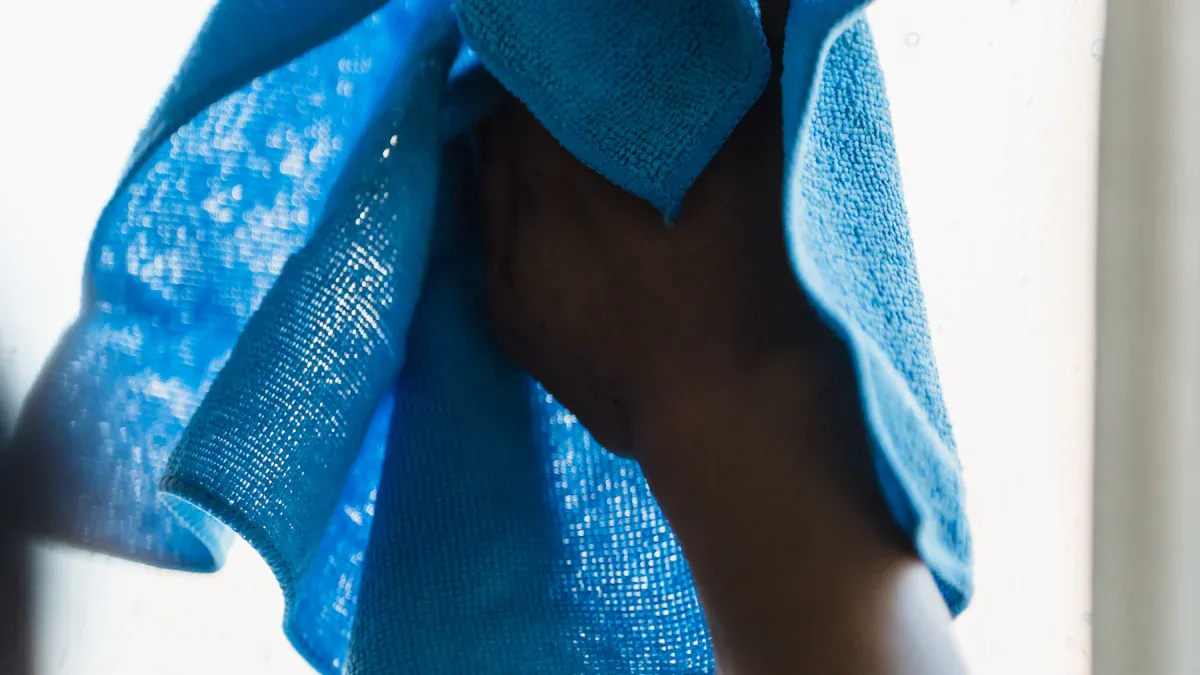
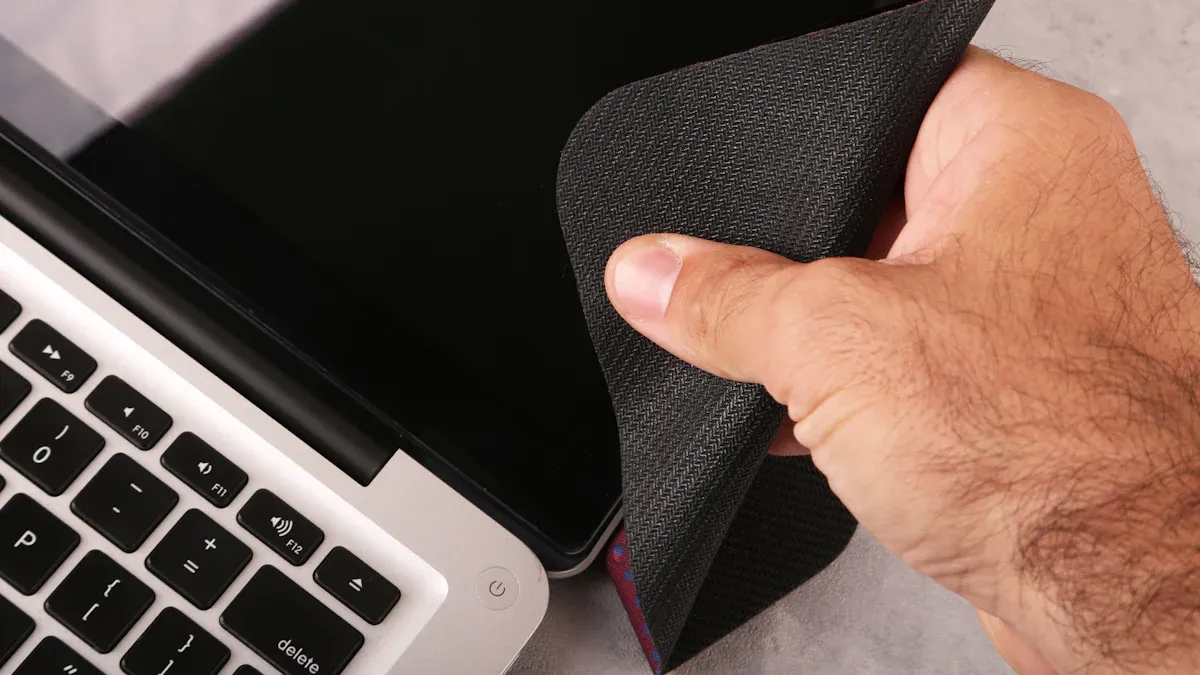
It is important to use the right cloth for your touchscreen. Microfiber cloths are best because they pick up dirt and dust. They do not scratch the screen. If you use a clean microfiber cloth, you will not drag small bits that can harm your screen. Experts say to use a dry microfiber cloth for dust and fingerprints. If you see tough smudges, dampen the cloth with a little distilled water. This way, you clean your device and do not hurt the screen’s coating. Do not use paper towels or rough fabrics. These can scratch and make your screen look old.
Tip: Use a clean microfiber cloth and wipe gently in circles for best results.
Approved Cleaning Solutions
Pick a cleaning solution that is safe for screens. These cleaners remove smudges and germs but do not hurt your touchscreen. Some products, like Duronic SCK101 Screen Cleaner, stop streaks and smudges. They work on many screens, like LCD, LED, and OLED. For extra care, read your device manual before using any cleaner. You can also use disinfecting wipes if they are safe for electronics. The table below shows why approved cleaning solutions are good:
Cleaning Practice
Benefit
Use screen-safe cleaning solution
Keeps screen clear and protects coatings
Use clean microfiber cloth
Removes dust without scratching
Avoid harsh chemicals
Prevents yellowing and damage
Wipe with disinfecting wipes
Reduces germs and keeps screen safe
What to Avoid
Some things can hurt your touchscreen. Do not use paper towels, tissues, or rough cloths. These can scratch and ruin the coating. Never use ammonia, bleach, or strong chemicals. These can make yellow spots or damage the screen. Do not spray liquid right on the screen. Spray it on the cloth first. Do not use soap or household cleaners. They can leave streaks or sticky stuff. Disinfecting wipes are okay if they do not have harsh chemicals.
Note: Always read the label on cleaning products to make sure they are safe for screens.
How to Clean Touch Screen Safely
Preparation Steps
Before you start cleaning the touch screen, you need to get ready. First, turn off the display and unplug your device. This step keeps you safe and helps you see dirt and smudges better. Next, wash your hands to avoid adding more fingerprints. Pick a clean microfiber cleaning cloth. Make sure the cloth does not have any dirt or grit on it. If you use a dirty cloth, you might scratch the touchscreen. Gather your approved cleaning solution or distilled water. Never use regular tap water because it can leave marks. If you plan to use disinfecting wipes, check that they are safe for electronics.
Tip: Always work in a well-lit area so you can spot all the smudges and dust.
Cleaning Process
You can follow this step-by-step screen cleaning process for safe and effective cleaning. Start by gently brushing away loose dust with a dry microfiber cleaning cloth. Do not press hard. If you see stubborn spots, lightly dampen a corner of the cloth with your screen-safe cleaner or distilled water. The cloth should feel just barely wet, not soaked. Never spray liquid directly on the screen. Instead, spray it onto the cloth. Now, gently wipe the surface of the touchscreen in small circles. This motion helps lift away fingerprints and grime without scratching. If you use disinfecting wipes, wring out extra moisture before wiping. Avoid letting any liquid drip into the edges or ports of your device.
Note: Keeping the cloth only slightly damp protects your touchscreen from water damage.
Drying and Buffing
After cleaning the touch screen, you need to dry it. Take a fresh, dry microfiber cloth and buff with a dry cloth using gentle, circular motions. This step removes any leftover streaks and brings back the shine. Make sure the screen is completely dry before you turn your device back on. If you see any streaks, repeat the drying step with a clean cloth. Regular drying and buffing help keep your touchscreen clear and easy to use.
Callout: Following these cleaning steps will help you clean touch screen devices safely and keep them looking new.
Common Mistakes When Cleaning Touchscreens
Cleaning a touchscreen looks simple, but mistakes can cause trouble. If you want your device to last longer, you must avoid these problems.
Using Harsh Chemicals
Some people think strong cleaners make screens look better. But harsh chemicals can hurt your screen and your health. Studies show that chemicals in anti-smudge coatings, like PFAS and nanomaterials, can get on your skin. These chemicals might get into your body through your hands or mouth. Kids and workers are at higher risk. One health report told about workers who got sick with bronchitis and heart problems after touching these chemicals. Always pick gentle, screen-safe cleaners to keep your touchscreen and yourself safe.
Tip: Always read the label before using any cleaner on your device.
Excessive Moisture
Too much water is bad for your touchscreen. If you use a very wet cloth or spray too much, water can get inside your device. This can break the small parts inside. Here are some dangers of using too much water:
Water can get into ports and break your device.
High moisture or humidity can make mold grow, especially in old buildings or damp places.
Mold can hurt your health and damage your device.
You should use a cloth that is just a little damp, not wet. Never let water drip or sit on your screen.
Abrasive Materials
Rough materials can scratch your touchscreen. Paper towels, tissues, and regular towels may look soft, but they can leave tiny scratches. These scratches make your screen look old and can stop it from working well. Always use a clean microfiber cloth for the best results.
Callout: Stay away from rough fabrics and always use microfiber cloths to keep your touchscreen clear and smooth.
Maintenance Tips for Clean Touchscreens
Cleaning Frequency
You touch your screen many times each day. Germs and dirt build up quickly. Research shows that smartphones can have more bacteria than a toilet seat. This fact makes regular cleaning very important. You should wipe your touchscreen with a dry or slightly damp microfiber cloth every day. For deeper cleaning, use a screen-safe disinfecting wipe once or twice a week. Always turn off and unplug your device before you clean it. This step keeps you safe and helps you see smudges better. Following these professional tips for lasting results will help you keep your device clean and safe.
Tip: Set a reminder to clean your screen at the same time each day, like after dinner or before bed.
Preventing Smudges
You can prevent dust accumulation and smudges by changing a few habits. Wash your hands before using your device. Avoid eating while using your touchscreen. Keep your device in a clean case or pouch when not in use. If you use your device outside, try to keep it away from sand and dirt. These small steps make a big difference in maintaining your touch screen's clarity.
Here is a quick checklist to help you:
Wash hands before use
Store device in a case
Avoid using device with dirty or oily hands
Clean screen regularly
Screen Protectors
Screen protectors add a layer of defense to your touchscreen. They help stop scratches and make cleaning easier. Many protectors reduce glare and block fingerprints, which keeps your screen clear. Some even filter blue light, making it easier on your eyes. Product reviews say that anti-glare protectors help reduce eye strain and keep colors bright. You will find it easier to wipe away dust and grease with a protector in place. Using a screen protector is a smart way to keep your device looking new.
Note: Replace your screen protector if it gets scratched or starts to peel for the best protection.
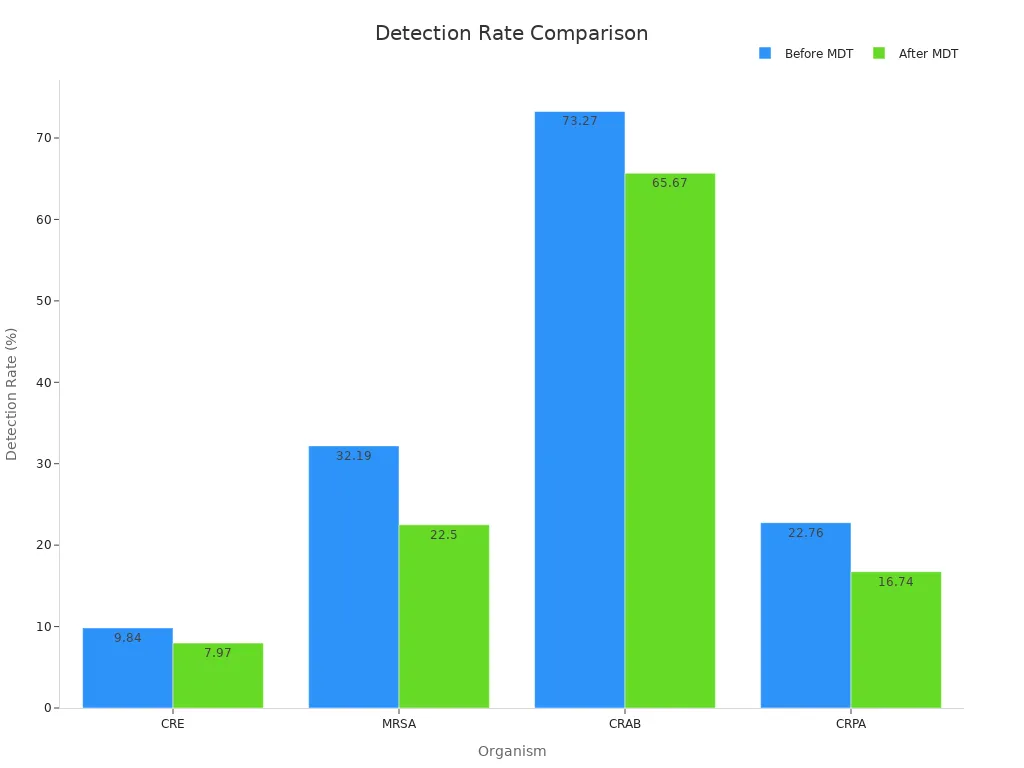
You can keep your touchscreen clean and safe with a microfiber cloth and a screen-safe cleaner. Always look at your device’s manual before cleaning the touch screen. Cleaning gently and often helps your device last longer and look nice. Hospitals had fewer germs and infections when they followed these steps, as you can see in the table and chart below.
Measure
Before MDT Intervention
After MDT Intervention
Statistical Significance
Cleaning levels of environmental surfaces
Lower
Significantly increased
Yes
Qualification rates (knowledge and methods)
Lower
Significantly improved
Yes
Misconduct rate in cleaning and disinfection
Higher
Significantly decreased
Yes
Detection rates of multi-drug resistant organisms (CRE, MRSA, CRAB, CRPA)
9.84%, 32.19%, 73.27%, 22.76%
7.97%, 22.5%, 65.67%, 16.74%
Yes
Hospital-acquired infection (HAI) rate
1.29%
0.88%
Yes
FAQ
Can you use alcohol wipes to clean a touch screen?
You can use alcohol wipes only if the device manual says it is safe. Many screens have coatings that alcohol can damage. Always check first. Use a screen-safe wipe or a damp microfiber cloth for most devices.
What should you do if water gets inside your device?
Turn off your device right away. Remove the battery if you can. Let it dry in a cool, dry place. Do not use a hair dryer or heat. If it does not work after drying, contact a repair expert.
How often should you clean your touch screen?
You should clean your screen every day if you use it often. For deep cleaning, do it once or twice a week. Regular cleaning keeps germs and smudges away.
Is it safe to use household cleaners on touch screens?
Never use household cleaners like window spray or bleach. These can damage your screen and remove special coatings. Stick to screen-safe cleaners or distilled water.
Do screen protectors make cleaning easier?
Yes, screen protectors help a lot. They stop scratches and make it easier to wipe away fingerprints and dust. If your protector gets scratched, replace it for the best results.